Museums hide entire sensory worlds behind their accessibility programs—most visitors never know they exist.
Navigate museums using accessibility resources and sensory-focused techniques to create personalized cultural experiences regardless of mobility or sensory needs.
Most museums run accessibility programs that go way beyond wheelchair ramps. We're talking tactile tours where you can actually touch sculpture replicas, audio description headsets that paint detailed pictures of artworks, and ASL-interpreted tours that add context most audio guides skip. The natural history museum near me offers "sensory mornings" once a month—lights dimmed, sounds lowered, and touching encouraged on select exhibits. I watched someone run their fingers across a fossilized ammonite shell for ten minutes, tracing the spiral with more focus than anyone staring at the glass case ever shows. This quest teaches you to leverage these programs whether you need accommodations or just want a deeper experience. You'll request materials in advance, use tactile markers and guides, and practice describing artworks to yourself or companions using only non-visual senses. The sculpture garden I visited last month had a braille guide that described textures I'd never noticed—"rough as tree bark" versus "smooth as river stone." Started feeling surfaces instead of just looking, and suddenly bronze versus marble meant something different to my hands. The best part: accessibility coordinators know secret details about collections. Ask about touch tours and they'll tell you which conservation team will let you smell 100-year-old books, or which curator brings out drawer specimens for close viewing. These programs turn museums from "look but don't touch" spaces into full sensory experiences—everyone benefits, not just people who need accommodations.
Call or email the museum's accessibility services 1-2 weeks before your visit. Ask about tactile tours, sensory-friendly hours, wheelchair routes, audio description devices, ASL interpretation, or large-print materials. Most museums list an accessibility coordinator on their website—talk to them directly, not general admissions.
Request specific accommodations or materials when you book. If they have touch carts, ask which galleries they serve. If they offer audio descriptions, ask whether they cover temporary exhibitions. Some museums will create custom routes if you explain what you're looking for—mobility-friendly paths with seating, quiet spaces for sensory breaks, or exhibit clusters organized by theme.
Arrive 15-20 minutes early to pick up any assistive devices or meet with staff who'll guide you. Test the audio description headset volume before entering galleries. Locate accessible restrooms and quiet spaces on your route. If you're using a wheelchair or walker, check which elevators access which floors—not all are obvious from the entrance.
Choose 3-5 artworks or exhibits to explore deeply rather than rushing through everything. Spend 10-15 minutes with each piece. If tactile replicas are available, close your eyes and map the shapes with your hands before looking. If using audio description, listen to the full track, then observe the piece yourself and notice what the description emphasized.
Practice non-visual observation techniques. For paintings: have a companion describe colors, compositions, and brushwork while you listen. For sculptures: focus on texture, weight, and how light creates shadows. For historical objects: smell old wood or leather if touching is allowed, listen to docents discuss material degradation, notice temperature differences between metal and fabric displays.
Use the mobility aids the museum provides without hesitation. Wheelchairs, stools, magnifying tools, and portable seating exist to be used. Most museums have folding stools near benches—grab one and park yourself in front of a painting for 20 minutes. Security staff expect this during accessibility hours.
Document your experience using voice memos or dictation software if writing is difficult. Describe what you touched, heard, or learned in your own words. Take photos of labels or objects to review later with magnification tools. Some museums allow audio recording for personal use—ask first.
Before leaving, talk to the accessibility coordinator or front desk staff about your experience. Tell them what worked and what could improve. Museums genuinely want this feedback—your input shapes future programs. Ask if they have upcoming sensory-friendly events or specialized tours you can join.
Get everything you need to make this quest amazing.
Walking cane that unfolds into a small seat with three legs for stability
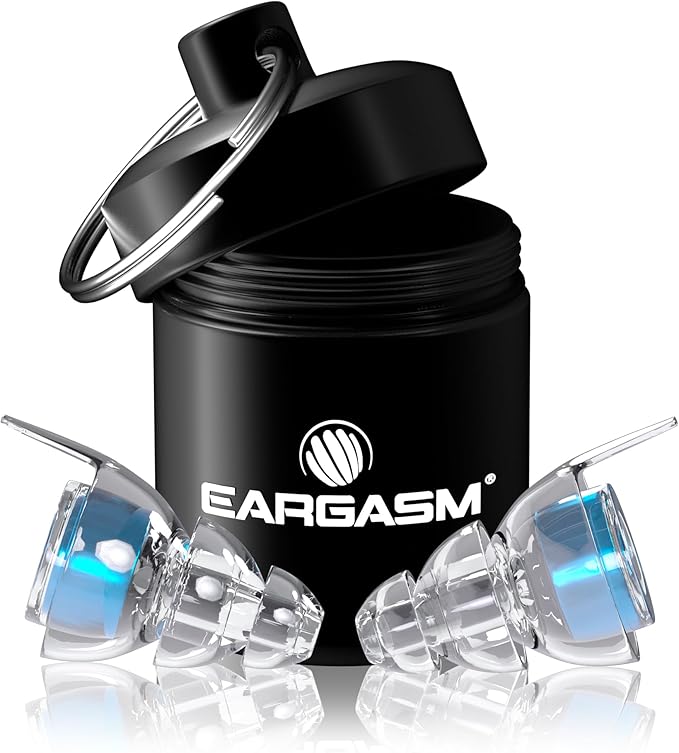
Get This ItemEarplugs that lower overall volume while maintaining sound clarity, not foam plugs that muffle everything
Get This ItemApps like 'Seeing AI' or 'Be My Eyes' that provide audio descriptions of images or connect you to visual interpreters
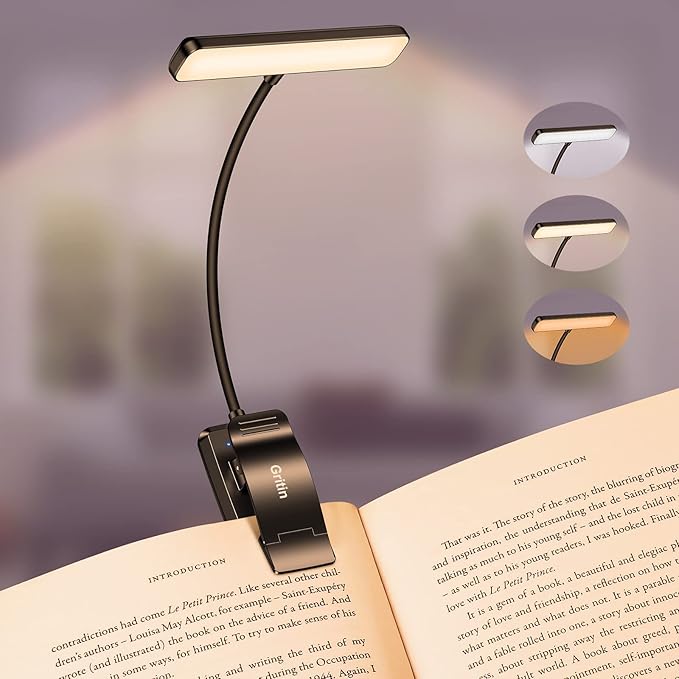
Get This ItemSmall LED light that clips onto materials and provides focused illumination without disturbing others
Get This Item💙 Shopping through these links helps support IRL Sidequests at no extra cost to you. Thanks for making adventures possible!
Hand-selected quests our team thinks you'll love

Cozy, gooey, unforgettable nights.

Turn your kitchen into a mad scientist’s bar.

Sharpshooter bragging rights start here.