
Group Activity Planner for Friends: Design Custom Social Quests
Turn your dead group chat into a living social calendar.
About This Quest
Build rotating social quests that keep your friend group engaged. Learn activity frameworks, voting systems, and logistics templates for 4-10 people.
Your group chat has 47 unread messages about 'hanging out soon' but nothing scheduled. You need a system that removes decision paralysis and makes planning automatic. This quest teaches you to build a rotating social calendar using activity frameworks, democratic voting, and pre-solved logistics. You'll create 3-5 activity templates—dinner club rotation, monthly adventure day, skill-swap sessions—with clear formats your group can repeat. The secret is removing friction: pre-vetted locations, automatic scheduling polls, shared cost calculators, and role rotation so one person doesn't carry all the work. By the end, you'll have a living document your friends actually use, turning vague intentions into real hangouts. The method works for tight circles of 4-6 or looser networks up to 10, adjusting complexity based on your group's commitment level. This isn't about forcing manufactured fun. It's about building infrastructure that makes spontaneous meetups possible and routine gatherings frictionless. Once your system runs for three months, the group chat transforms from planning purgatory to quick coordination and inside jokes.
Why This Quest Matters
Three months from now, your group chat won't be a graveyard of 'we should hang out soon' messages. You'll have a system that removes decision paralysis and makes real hangouts happen on autopilot. Once your templates are running, coordination takes minutes instead of weeks, and your chat transforms from planning purgatory to quick logistics and inside jokes.
What You'll Experience
- How to design repeatable activity templates that eliminate planning friction
- Democratic voting systems that actually get responses and lock in dates
- Communication structures that separate logistics from social banter
- Sustainability practices like role rotation and lazy-month fallbacks that prevent organizer burnout
- Pattern recognition for what your group actually does versus what they say they'll do
What You'll Need
Top gear to make this quest great.
Pull it off
Portable Bluetooth Speaker
Makes picnics, beach days, and park hangouts feel intentional instead of awkward. JBL Clip 4 clips to bags and survives sand/spills.
Get on Amazon · $39.95 — Portable Bluetooth Speaker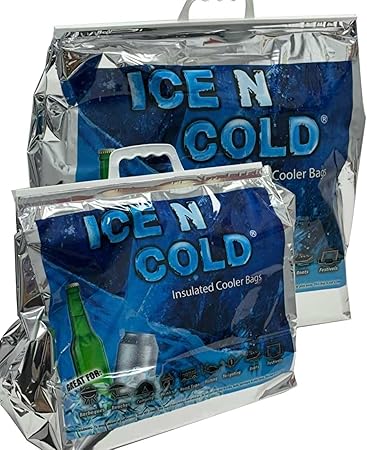
Solves the 'who's bringing drinks' logistics for outdoor events. Stores flat between uses, large enough for group quantities but one person can carry it.
As an Amazon Associate I earn from qualifying purchases. Prices may change.
Step-by-Step Guide
Survey your group's real preferences
Create an 8-question Google Form covering budget comfort, weeknight vs weekend availability, physical activity tolerance, food restrictions, alcohol preferences, travel radius, advance notice requirements, and deal-breaker activities. Share results in the group chat to establish your planning baseline.
💡 Pro Tips:
- • Include a 'what activities have you secretly wanted to try?' question to surface hidden interests
- • Keep it under 3 minutes to complete—you need responses, not exhaustive data
Design 3 reusable activity templates
Build templates based on survey patterns. Each one specifies activity type, 4-5 pre-vetted locations, typical costs, booking requirements, ideal group size, and weather backup plans. Examples: rotating dinner club where host cooks mains and guests bring sides, monthly adventure Saturday for hiking or markets, skill-swap night where someone teaches their hobby.
💡 Pro Tips:
- • Start with one low-effort template (potluck), one structured outing (bowling, museum), and one experimental option
- • Add venue notes on noise levels and group size limits—critical for conversation-based hangouts
Build voting and scheduling infrastructure
Set up Doodle or Rally for date polling with 3-4 options, locking in when 70% respond. Create a rotating 'quest master' role that cycles monthly—this person picks from approved templates and handles logistics. Build a shared Splitwise or spreadsheet expense tracker with auto-calculated per-person costs.
💡 Pro Tips:
- • Set a 3-day response deadline; non-voters get marked tentative automatically
- • The quest master rotation prevents burnout—make it a rotating honor, not a burden
Establish your communication structure
Create a separate planning thread just for logistics, distinct from your main group chat banter. Send calendar invites with parking details. Deploy 48-hour reminder messages with final headcount and what-to-bring lists. Make it clear: no response by deadline means you're tentative, not confirmed.
Launch and learn from one flagship event
Start with your easiest template—potluck dinner at someone's place or fixed-price venue like bowling. Document what worked and what flopped: Was the venue too loud? Did people show at their claimed time? Use this intel to refine your templates before the next round.
💡 Pro Tips:
- • Take photos of successful setups (table arrangements, food spreads) to replicate the magic
- • A simple post-event poll ('what rating, what to change next time') captures feedback while memories are fresh
Build your activity library over 3 months
After each event, add one new template based on what landed. Create options for different energy levels: low-key (board game café, movie night), mid-range (food hall crawl, DIY craft night), high-effort (day trip, escape room tournament). Track which templates get reused, who consistently shows versus flakes, and what price points work. Adjust based on 3-month patterns.
💡 Pro Tips:
- • Build in 'lazy months' where the template is simply 'everyone brings takeout to someone's place'
- • Emergency rule: if fewer than 4 people confirm by deadline, postpone rather than guilt-trip stragglers
- • If certain people never vote, have a direct conversation about commitment level—a smaller active group beats a larger ghost list
Gear Up for Your Quest
The gear that makes this quest work.
Pull it off

Portable Bluetooth Speaker
Makes picnics, beach days, and park hangouts feel intentional instead of awkward. JBL Clip 4 clips to bags and survives sand/spills.
Get on Amazon · $39.95 — Portable Bluetooth Speakerdetails & deals →+ complete the kit — 3 more

Scheduling Poll Tool (Rally or Doodle)
EssentialPopularEliminates the '12-message thread to pick a date' problem. Rally shows everyone's real availability overlaps and auto-sends reminders to non-responders.
Group scheduling platform with calendar integration and automated reminders
Shared Expense Tracker (Splitwise Pro)
RecommendedTracks running tab across events, calculates who owes what, sends payment nudges so the organizer doesn't front costs forever. Free version works; Pro adds recurring expense templates.
Multi-currency expense splitting app with group totals and payment reminders

Collapsible Cooler Bag
OptionalSolves the 'who's bringing drinks' logistics for outdoor events. Stores flat between uses, large enough for group quantities but one person can carry it.
Insulated bag that folds flat, holds 24 cans plus ice
Get on Amazon · $249.99 — Collapsible Cooler Bagdetails & deals →As an Amazon Associate, IRL Sidequests earns from qualifying purchases at no extra cost to you.
Prices and availability are subject to change. The price shown at checkout on Amazon at the time of purchase will apply.
Editor's Picks
Hand-selected quests our team thinks you'll love

Guerrilla Gardening: Plant Beauty Where It's Not Expected
That cracked sidewalk planter doesn't need to stay dead—fill it with wildflowers at 2AM and watch neighbors smile for months.

Backyard Conversation Workshop
Your backyard becomes the training ground where awkward silences turn into confident conversations.

Community Kitchen & Culinary Connection Hub
The best recipes get passed hand-to-hand, not screen-to-screen.