Remote Work Productivity Sprint: Build Your Location-Independent Workflow - Personal Growth quest for Intermediate level adventurers

Remote Work Productivity Sprint: Build Your Location-Independent Workflow

Your laptop doesn't care where you work—but your brain does.

Share:
5 supplies needed· Estimated total: $60+
View supplies

About This Quest

Design a bulletproof remote work system tested across time zones. From noise-cancelling setups to deep work blocks, build workflows that survive coffee shops and coworking chaos.

Remote work sounds like freedom until you're three hours into emails at a café with spotty WiFi and realize you've accomplished nothing. This quest strips away the Instagram fantasy and builds a real system—one that handles time zone chaos, distraction, and the mental whiplash of working from anywhere. You'll audit your current setup (spoiler: it's probably leaking focus), test different work environments, and build routines that travel. We're talking Pomodoro variations that actually stick, communication protocols that respect deep work, and backup plans for when the power cuts out mid-Zoom call. This isn't about buying a standing desk converter—it's about designing a workflow that performs whether you're in Lisbon or Louisville. By the end, you'll have a documented system: your peak focus hours mapped, your notification strategy locked down, and contingency plans for common failures. You'll know which tasks need silence versus which thrive in ambient noise. Most importantly, you'll stop treating every workday like an improvisation and start operating like the location-independent professional you claim to be.

Duration
4-6 hours initial setup, ongoing refinement
Estimated Cost
$60+
Location
Both
Season
Year-round
Family Friendly
All ages welcome

What You'll Need

Top gear to make this quest great.

RescueTime Premium or Timing AppPopular

Provides objective data about where your focus actually goes versus where you think it goes. Essential for identifying productivity leaks and validating which environments support deep work. Free versions exist but lack detailed reporting.

$12/month or $78/year
Noise-Cancelling Earbuds with Transparency Mode

Blocks low-frequency café rumble and HVAC hum while letting you hear your name being called or announcements. Game-changer for maintaining focus in unpredictable environments without complete sensory isolation.

$80-250
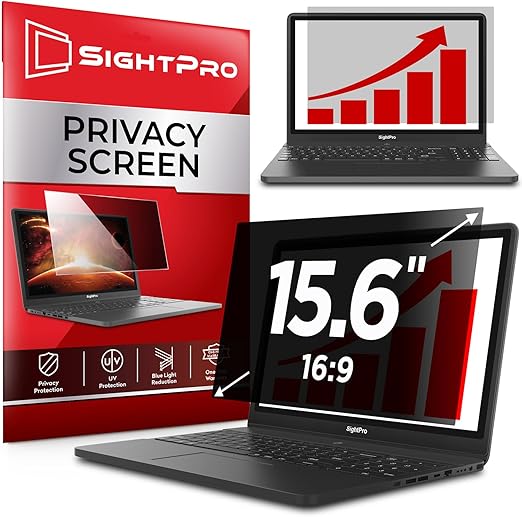
Portable Laptop Privacy Screen

Essential for working with sensitive information in public spaces. Also reduces eye strain from screen glare in bright environments. Adds psychological security when handling client data or financials in coffee shops.

$25-50
View all 5 supplies

Shopping through these links supports IRL Sidequests at no extra cost to you.

Step-by-Step Guide

1

Map your energy patterns: Track your focus levels in 2-hour blocks for 3-5 days. Note when you hit flow state versus when you're just staring at screens. Identify your genuine peak performance windows—not when you think you should work, but when your brain actually fires.

2

Audit your distraction vectors: Install RescueTime or a similar tracker. Run it for one full work week without changing behavior. Review the brutal truth about where your time actually goes. Categorize interruptions: self-inflicted (social media), external (notifications), or environmental (noise, movement).

3

Test three different work environments: Coffee shop, library/coworking space, and home base. Work identical tasks in each location. Track completion time, error rate, and subjective focus quality. Note ambient noise levels, internet stability, and interruption frequency. One environment will clearly win for deep work—accept the data.

4

Build your communication firewall: Set specific windows for asynchronous communication (Slack, email). Draft an auto-responder explaining your schedule. Establish 'office hours' for real-time interaction. Configure Do Not Disturb modes across all devices. Test this for one week—expect pushback, hold the boundary.

5

Design your Pomodoro variant: Standard 25/5 splits don't work for everyone. Test 50/10, 90/20, or ultradian rhythm cycles (90-120 minutes). Use a physical timer—not your phone. During breaks, move your body or close your eyes. No scrolling. Track which interval pattern yields the highest output.

6

Create your backup protocol: Document Plan B for common failures—internet outage, power loss, venue closure, time zone confusion. Pre-download critical files. Know three backup locations within 15 minutes of your usual spot. Keep a mobile hotspot charged. Test your backup once—don't wait for the emergency.

7

Establish your end-of-day shutdown ritual: David Allen's GTD method calls it a 'weekly review,' but do it daily when remote. Review open loops, update tomorrow's priority list, close all tabs, shut down Slack. Physical separation matters—close the laptop, leave the room if possible. Your brain needs a commute, even if it's 30 steps.

Gear Up for Your Quest

Get everything you need to make this quest amazing.

RescueTime Premium or Timing App

EssentialPopular
$12/month or $78/year

Provides objective data about where your focus actually goes versus where you think it goes. Essential for identifying productivity leaks and validating which environments support deep work. Free versions exist but lack detailed reporting.

Automatic time-tracking software that logs application and website usage without manual input

Get on Amazon · $12/month or $78/year

Noise-Cancelling Earbuds with Transparency Mode

Recommended
$80-250

Blocks low-frequency café rumble and HVAC hum while letting you hear your name being called or announcements. Game-changer for maintaining focus in unpredictable environments without complete sensory isolation.

Active noise cancellation earbuds with ambient sound pass-through for situational awareness

Get on Amazon · $80-250

Portable Laptop Privacy Screen

Recommended
$25-50

Essential for working with sensitive information in public spaces. Also reduces eye strain from screen glare in bright environments. Adds psychological security when handling client data or financials in coffee shops.

Magnetic or adhesive screen filter that narrows viewing angles to prevent shoulder surfing

Get on Amazon · $25-50

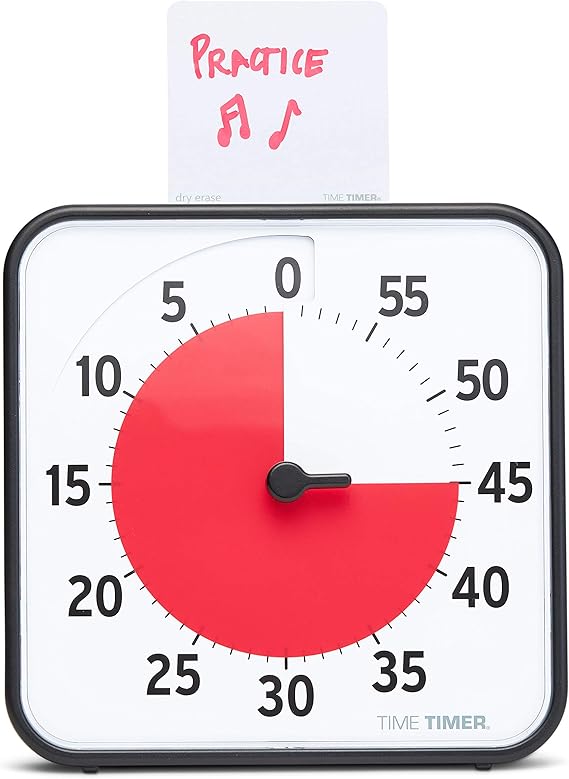
Analog Visual Timer (Time Timer or Similar)

Recommended
$15-35

Removes the need to check your phone for Pomodoro tracking, eliminating the 'just a quick glance' distraction trap. The visual representation creates urgency without constant time-checking. Battery-powered, silent operation.

Physical countdown timer showing remaining time as a shrinking colored disc—no digital interface

Get on Amazon · $15-35

Portable Standing Desk Converter

Optional
$35-80

Enables posture variation when working from non-ergonomic café tables or coworking hot desks. Particularly valuable during afternoon energy dips when standing can restore alertness. Packs flat for travel.

Foldable height-adjustable riser that converts any table into standing workspace

Get on Amazon · $35-80

Shopping through these links helps support IRL Sidequests at no extra cost to you.